
Kids Coloring Pages & Book
IDZ Digital Private LimitedEducational
4.323.00 Reviews
- Version
- 1.4.7
- Installs
- 10.00M
- Age Rating
- Everyone
Screenshots
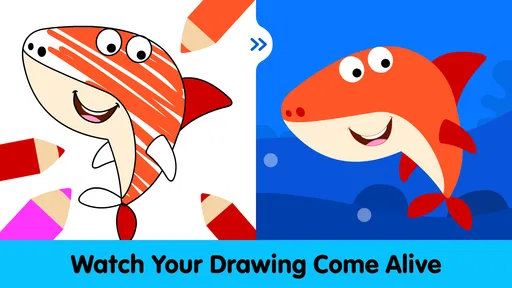
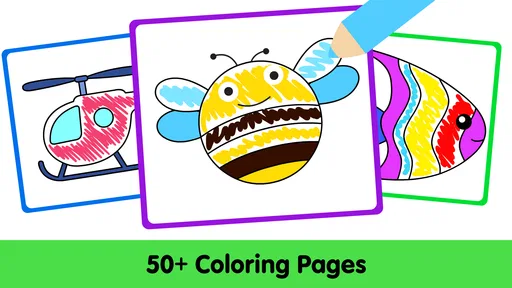
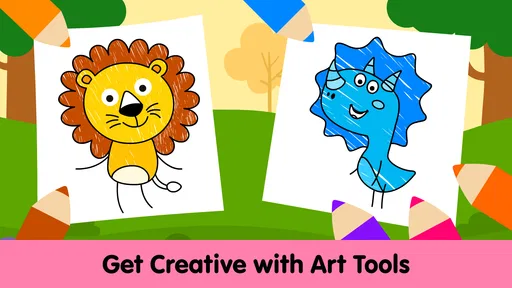
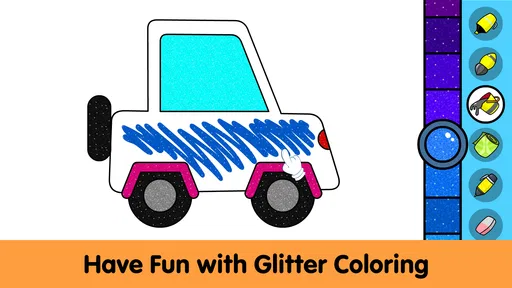
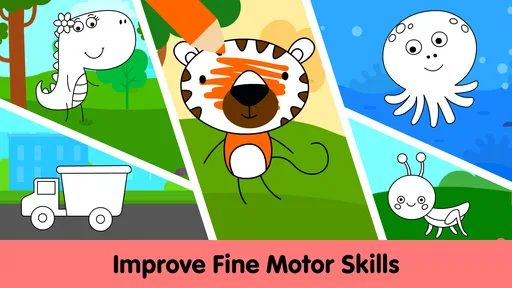
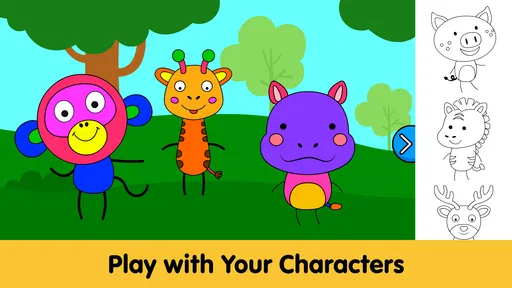
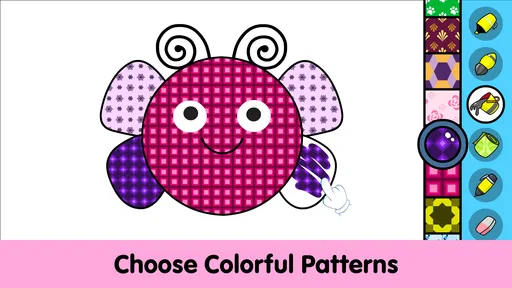
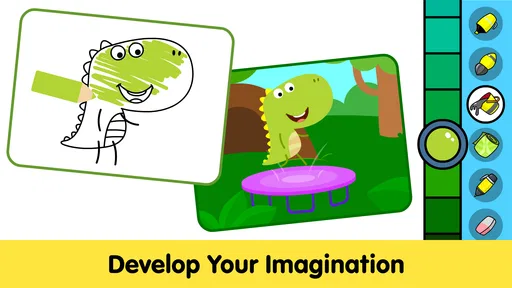
Our Review of Kids Coloring Pages & Book
 Analysis by Appyee
I found Kids Coloring Pages & Book most useful as a calm, guided activity rather than as a complete learning program. It is an educational game for preschool and kindergarten children, built around coloring pages that help young users practice recognizing and choosing colors. The simple presentation is its biggest strength: a child can open it, understand the basic purpose quickly, and begin without needing to read much.
My first impression was that this is the kind of app parents may reach for during a short waiting period, a quiet afternoon, or a transition between activities. It does not ask a young child to master complicated controls, manage a character, or follow a long story. Instead, it keeps attention on the picture and the act of filling it with color. That focus makes it approachable, although it also means the experience depends heavily on whether the child enjoys repeating a familiar creative task.
The game is free to start, carries an Everyone age rating, and comes from IDZ Digital Private Limited. It has reached over 10 million installs and holds a 4.4 average from around 5.5 thousand ratings. Those figures suggest that the format has broad appeal, but they do not replace a parent’s judgment about whether a particular child enjoys digital coloring more than paper, puzzles, music, or open-ended drawing.
What the first week feels like
During the first few sessions, the attraction is easy to understand. A preschooler can choose a page, tap colors, and see the illustration change immediately. That quick response matters at this age because there is little patience for menus, instructions, or delayed rewards. The app’s central loop is direct enough for a child to explore with limited adult intervention.
I would introduce it in a short session instead of handing over the device indefinitely. Sitting nearby for the first few minutes lets an adult turn the activity into a conversation: “Which color did you choose?” “What part are you coloring?” “Can you find something else that is blue?” The screen then becomes a prompt for language and observation, not just a way to occupy a child.
The collection contains more than a hundred coloring pages, which gives the first week enough variety to feel substantial. A child who likes animals, objects, or familiar scenes can move from one illustration to another without immediately seeing the same page again. The number of pages is helpful at the beginning, but variety alone does not guarantee lasting interest. Young children often return to one favorite picture repeatedly, so the quality of the interaction matters more than the size of the collection.
One practical strength is that the activity can fit different skill levels. A child who is still learning basic color names can focus on identifying colors, while a more confident child can make personal choices and create unusual combinations. I would not insist that every picture be colored “correctly.” Letting a child make a purple sun or a green dog can support imagination, even when the adult is using the moment to discuss conventional colors.
The first-week appeal also comes from the low cognitive load. There is no need to remember a complicated sequence or understand a competitive scoring system. That makes it suitable for a child who is tired but still wants something to do. It can also work well for a younger sibling who wants to imitate an older child using a tablet, because the basic action is easy to demonstrate.
Still, parents should expect some setup and supervision. Children may tap rapidly, move away from the intended tool, or ask an adult to choose a page for them. The app is simple, but “simple” does not mean completely independent for every preschooler. The first week is best treated as a period for discovering how the child uses it, not as proof that the game will become a permanent favorite.
Turning coloring into a useful routine
A realistic everyday scenario would be a ten-minute activity before dinner while an adult finishes preparing food. I would choose one page, ask the child to name two colors before starting, and then talk about the finished image afterward. This gives the session a beginning and an ending instead of allowing it to drift into endless tapping. The routine can be repeated on different days without requiring a large block of free time.
Another useful approach is to pair the digital picture with something in the room. If the child colors a red object, I might ask them to find another red item away from the screen. That small transfer helps the lesson reach real life. The game itself provides the visual practice, while the adult supplies the connection between the picture and the child’s surroundings.
I also found that offering limited choices works better than asking, “What do you want to do?” A parent can say, “Would you like to finish this page or choose a new one?” This keeps the child involved without creating a long decision process. It is a minor habit, but it reduces the chance that the app becomes a sequence of restless menu changes rather than a coloring activity.
Whether it still matters after the novelty fades
After the first burst of discovery, the app’s value becomes more dependent on how a family uses it. The pages do not automatically create a month-long learning plan. They are materials for repeated practice, and the parent has to decide when they are useful. I see the strongest recurring value in short, occasional sessions that reinforce color vocabulary and fine-motor control through tapping.
For a child who enjoys coloring, the large page collection can support a rotating habit. One week might focus on choosing familiar colors, another on describing pictures, and another on making imaginative choices. The content stays the same, but the adult’s questions change. That is an important trade-off: the app can be reused, yet its educational depth comes partly from interaction around it rather than from increasingly advanced lessons inside it.
I would not use it as the only way to teach colors. Physical crayons offer pressure, texture, and hand movement that a touchscreen cannot reproduce. Paper also allows children to draw outside an existing outline and create their own subjects. A good routine might alternate between this game and offline coloring, using the app when convenience matters and paper when the goal is broader creative control.
Compared with a general drawing app, this game is easier for a preschooler who needs a clear starting point. A blank canvas can be intimidating or confusing, while a prepared page gives an immediate task. The trade-off is freedom: a general drawing tool may encourage more original expression, whereas Kids Coloring Pages & Book keeps the child within the structure of its illustrations.
Compared with flashcards or color-learning videos, coloring is more active. The child makes a choice and changes the image, rather than only watching or answering. That can make the lesson feel less like a test. On the other hand, a dedicated lesson app may offer more explicit progression, while this game is better understood as practice through play.
The app is also a more focused choice than a broad children’s entertainment platform. There are fewer competing activities inside the session, which can help a parent direct attention toward colors. Families looking for stories, songs, counting, phonics, or several subjects in one place will probably find it too narrow. Its narrowness is useful when coloring is specifically what the child needs, but limiting when the goal is a full preschool curriculum.
The current version is 1.4.7 and it runs on Android 6.0 or later. That makes device compatibility worth checking before planning to use an older tablet. I would also test it on the actual family device before introducing it to a child, especially if the tablet is shared or has limited storage and battery life. A smooth routine depends as much on the device being ready as on the child liking the pages.
What creates lasting value
The most durable benefit is not simply having many pictures available. It is the ability to reuse one page for different conversations. The first time, a child may practice selecting colors. Later, the same image can support questions about shapes, objects, size, or storytelling. For example, after coloring a scene, I might ask the child to invent who lives there or what happens next. This turns a finished page into a starting point for language practice.
A second useful technique is to let the child explain the choices rather than correcting them immediately. If a child colors something in an unexpected way, I would ask for the reason before deciding whether correction is necessary. That keeps the activity creative and can reveal whether the child understands the color or is simply experimenting. The screen becomes a place to observe thinking, not just a place to check right answers.
A third insight is that repetition can be intentional. Reopening a favorite page is not automatically wasted time. Repetition gives a child a chance to improve control, remember color names, or tell a more detailed story. The key is to add a small new challenge, such as naming the colors first, finding a matching object in the room, or describing the picture in a full sentence.
These approaches help the game earn occasional space in a family routine. Without them, the experience can become a quick cycle of opening pages, tapping randomly, and moving on. The app supplies accessible material, but the recurring value depends on whether the adult uses that material thoughtfully.
Maintenance, fatigue, and the limits of repetition
The maintenance burden is fairly light in terms of learning the controls, but it is not zero. Parents may need to manage session length, decide which pages are appropriate for the child’s mood, and keep the activity from becoming a default screen habit. Because the game is easy to start, it is also easy to offer automatically whenever a child is bored. I would avoid making it the answer to every quiet moment.
In-app purchases cost between $4.99 and $5.99 per item. That matters when a child explores the app independently, because a young user may not understand that a tap can lead beyond the free experience. I would handle purchase settings before giving the device to a child and make the available boundaries clear. The free entry point is convenient, but the family’s comfort with optional spending should be part of the decision.
The likely source of fatigue is not difficult gameplay; it is sameness. Coloring pages share a basic interaction, so children who want surprises, movement, competition, or changing goals may lose interest quickly. Even a large collection can feel repetitive when every session asks for the same kind of tapping. Parents should notice whether the child is choosing pages with purpose or simply racing through them.
Another limitation is that digital coloring can encourage speed over care. A child may fill an image quickly without thinking about the colors or the subject. I found that slowing the session down helps: ask the child to identify the object, choose one color deliberately, and describe the finished page. If there is no adult available for that kind of guidance, the educational effect may be more modest than the colorful presentation suggests.
Children who are already confident artists may also outgrow the structure. If a child wants to draw houses, people, maps, or invented creatures from scratch, a blank drawing tool or paper may be a better fit. Likewise, children who need explicit instruction in letter sounds, counting, or early reading should use a more specialized educational resource. This game can complement those areas, but it should not be expected to cover them.
I would also skip it for a family that wants a completely screen-free creative routine. No app can replace the tactile experience of crayons, washable paint, or cutting and pasting. The strongest case for this game is convenience and accessibility: it offers a ready-made activity when carrying art supplies is impractical or when a child needs a contained, low-pressure task.
Who is most likely to keep using it?
It is a good match for preschool and kindergarten children who enjoy visual choices, can manage basic taps, and respond well to short guided activities. It may be especially helpful for parents who want an easy conversation starter about colors without turning practice into a formal lesson. The Everyone rating makes the intended audience broad, but age suitability still depends on the individual child’s motor skills and screen habits.
It is less suitable for older children seeking challenge, progression, or competition. The same simplicity that helps a young beginner can feel limiting to a child who wants detailed tools or a stronger sense of achievement. I would also be cautious about using it with a child who becomes frustrated when a digital action does not match the precision of a physical crayon. In that situation, paper may provide more satisfying control.
For families deciding whether to keep it installed, I would watch three things over several sessions: whether the child returns without being prompted, whether they can talk about the colors afterward, and whether the activity fits naturally into the household routine. If the answer is yes to at least two, the app is probably earning its place. If the child only opens it when an adult suggests it and quickly abandons each page, the storage space may be better used for another activity.
It is also worth remembering that the app is free, so trying it does not require committing money at the start. The more important commitment is attention: a parent may get better results from a short shared session than from a long unsupervised one. If optional purchases are not desirable, establish that boundary before the child begins exploring.
My long-term verdict
After the novelty fades, Kids Coloring Pages & Book remains useful as a compact coloring activity, but I would not describe it as a complete early-learning solution. Its lasting strength is dependable simplicity. A young child can return to familiar pages, practice color choices, and use the pictures as prompts for conversation. That makes it easy to fit into a real family schedule.
Its weakness is equally clear: the core interaction does not evolve very far. The app relies on the child’s interest in coloring and the adult’s ability to add variety through questions, repetition, and offline connections. Families expecting a structured curriculum, advanced drawing tools, or a constantly changing challenge should choose something else.
For me, the best role is a short, supervised activity used a few times a week, not an all-purpose replacement for creative play. I would keep it available for travel, waiting rooms, quiet transitions, or a quick color-focused session, while balancing it with paper art, physical toys, books, and outdoor play. That balance prevents the game from becoming repetitive and gives its simple pages a clearer purpose.
My recommendation is cautious but positive: try it if your child already enjoys coloring and you want an accessible educational game with a gentle learning angle. Give it a defined place in the routine, prepare for the optional in-app purchases, and judge its value by the conversations and choices it encourages rather than by the number of pages alone. Used that way, it can earn lasting space on a family device without pretending to be more than it is.
Privacy and Permissions
See what permissions an app requests and how it handles your data.
- Other
- view network connections, full network access, prevent device from sleeping
Verdict
Strengths of Kids Coloring Pages & Book
- Simple interface makes it easy for young children to start coloring.
- Offline access lets kids play without a constant internet connection.
- Bright colors and playful artwork help keep children engaged.
- Suitable for quiet, screen-based activities at home or while traveling.
- Basic controls are easy for children to use with limited assistance.
Limitations of Kids Coloring Pages & Book
- Some content or tools may require in-app purchases to unlock.
- Ads can interrupt play, depending on the version and device settings.
- Limited creative tools may feel basic for older children.
- Accidental taps could lead to unwanted purchases without parental controls.
- The app may become repetitive after children finish the available pages.
Other Releases by IDZ Digital Private Limited
View All
Ice Cream Shop Games for Kids
Educational4.6

Toddler Games for 2-3 Year Old
Educational3.6

KidloLand Kids & Toddler Games
Educational4.6

Coloring Games for Kids: Color
Educational4.6
Similar Picks in This Category
View All
Little Panda Policeman
BabyBus4.0

Monster Trucks Game for Kids 2
Raz Games4.1

Little Panda's Chinese Recipes
BabyBus4.4

Little Panda's Restaurant
BabyBus4.4

Little Panda's Ice Cream Games
BabyBus4.3

Baby Panda Care
BabyBus3.8
Frequently Asked Questions
What is Kids Coloring Pages & Book?
Kids Coloring Pages & Book is a digital coloring app designed for young children who enjoy drawing, coloring, and creative activities. It typically offers a collection of themed pages featuring animals, vehicles, nature, characters, and other child-friendly illustrations. The simple interface makes it easy for children to select colors, fill areas, and experiment with their own ideas without needing advanced artistic skills.
Is Kids Coloring Pages & Book suitable for my child’s age?
The app is generally intended for preschool and early-school-age children, although the ideal age depends on the child’s ability to use a touchscreen independently. Younger children may need help choosing pages or understanding the available tools, while older children can usually explore the coloring features on their own. Parents should check the store listing for the developer’s recommended age range.
Does Kids Coloring Pages & Book require an internet connection?
Many coloring apps allow children to use at least some pages and tools offline after installation, which is convenient for travel or situations without Wi-Fi. However, advertisements, additional content, updates, or sharing features may require an internet connection. Before relying on the app offline, it is worth opening several pages in airplane mode to confirm which functions remain available.
Is Kids Coloring Pages & Book free to download and use?
The application may be available as a free download, but free versions can include advertisements, locked coloring pages, or optional in-app purchases. Parents should review the app’s Google Play or App Store listing carefully to understand what is included without payment. If a child will use the app unsupervised, parental controls and purchase restrictions are recommended to prevent accidental transactions.
Is Kids Coloring Pages & Book safe for children?
The app is designed around a child-friendly coloring experience, but parents should still review its advertisements, permissions, privacy information, and external links before giving it to a child. It is also a good idea to configure device parental controls, disable unwanted purchases, and supervise sharing features. Safety can vary between versions, so downloading from the official app store is strongly recommended.
Play our best games!


